

Your inbox and alarm subscriptions
BuiltOmniglass tells people about alarms in two ways, and both end up in the same place: your inbox. An admin can point a rule at a group you belong to (“the on-call group gets every critical alarm”), and you can subscribe yourself to the alarms you care about. Either way you are only ever told about an alarm on a component you can read, and an entry about a component you lose access to disappears from your inbox (alarms and actions).
Your inbox
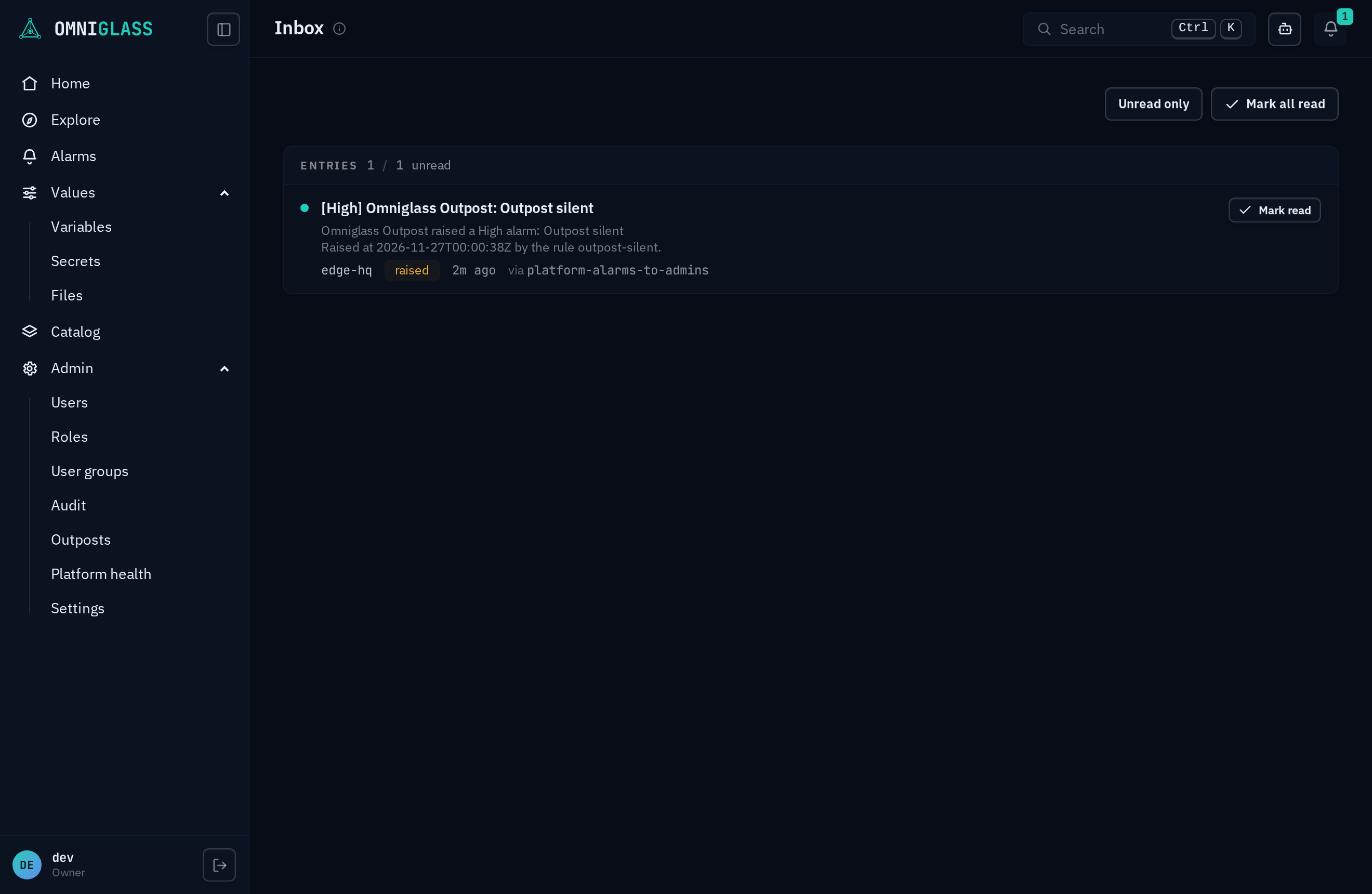
Section titled “Your inbox”The bell in the top bar counts what you have not read, and opens Inbox: newest first, each entry the alarm’s rendered message, its component, and the rule that told you. Mark read marks one, Mark all read the rest, and Unread only filters to what is left. Opening an entry’s component marks it read too.
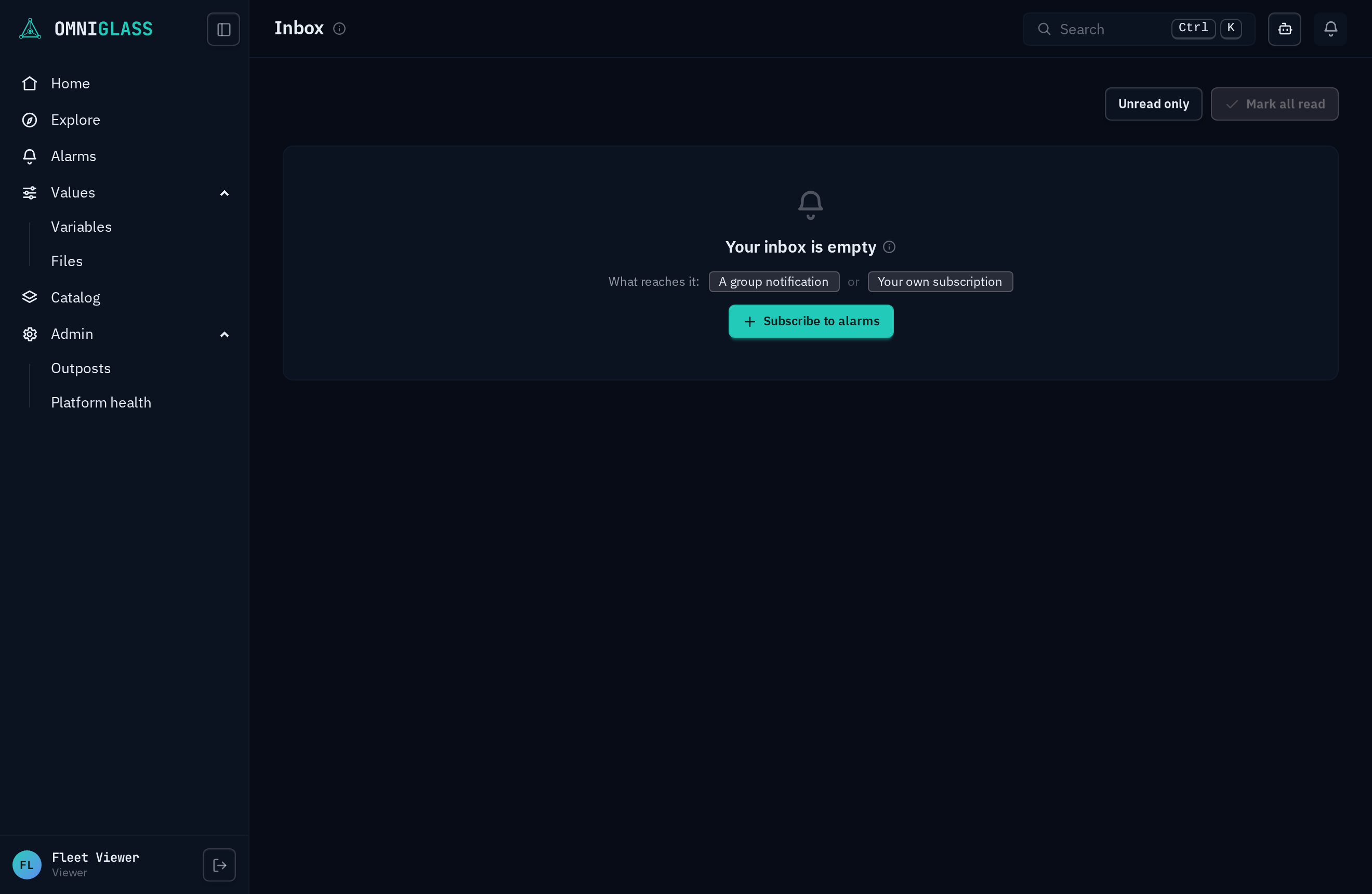
A person nothing has been told to yet sees the empty state instead, with the way in: Subscribe to alarms opens your subscriptions, below.
From the CLI:
omniglass auth me notification list --unread # newest first, with the unread countomniglass auth me notification markRead <id>omniglass auth me notification markAllReadEach entry is the message the alarm’s transition rendered (its subject and text) and the alarm it is about. Reading or marking an entry is yours alone; nobody else can mark your inbox. Who an entry was for is shown to you and to admins, and withheld from anyone else who can see the alarm.
Subscribe yourself
Section titled “Subscribe yourself”In the console, Profile, Alarm subscriptions lists your own subscriptions; New subscription opens one. Write its when with the facts it may name listed under it, then Test: the draft is judged against your own most recent alarms, each marked would-have-told-you or not, before you save anything.
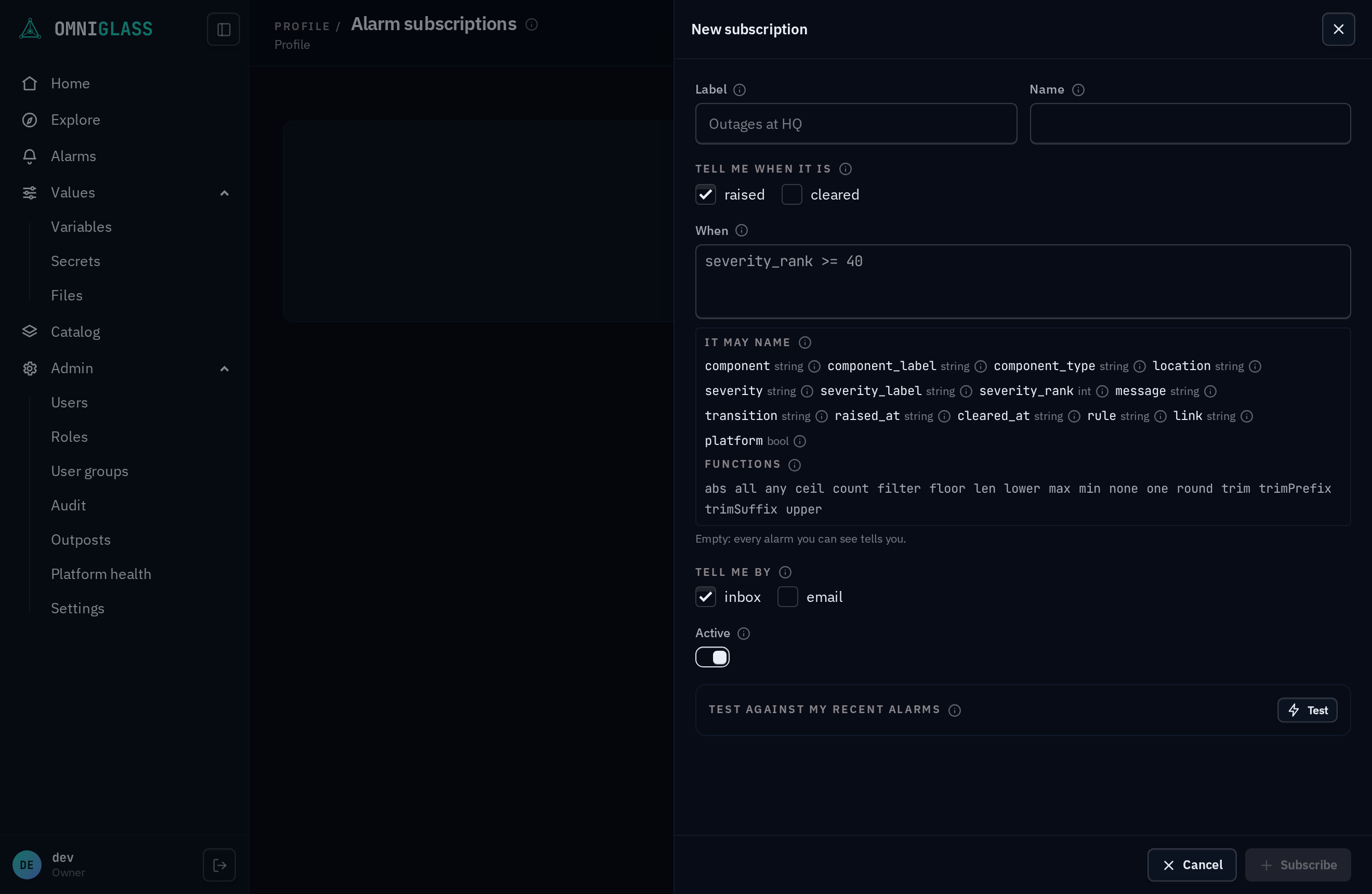
A personal rule says which alarms you want to hear about: on which transitions (raised,
cleared, or both), when (a predicate over the alarm’s facts: component, location, severity,
severity_rank, message, …), and how (inbox, email to your directory address, or both).
It tells you alone and names no target.
omniglass auth me action-rule create --name my-boardroom --on '["raised","cleared"]' \ --when 'location == "Boardroom" && severity_rank >= 40' --channels '["inbox"]'Before you rely on it, test it: test judges the rule against your own most recent alarms and
says which it would have told you about, and a draft --when or --on tries an edit before you make
it. It sends and saves nothing.
omniglass auth me action-rule test my-boardroomomniglass auth me action-rule test my-boardroom --when 'severity_rank >= 50'update --enabled=false pauses it, and delete removes it. A rule only ever matches an alarm on a
component you can read at the moment it is raised or cleared, so it can never tell you about
something your grants do not show you, even with a when of true. Subscribing takes
notification:subscribe, which every viewer has unless an admin’s custom role withholds it.
Opt out of a group page
Section titled “Opt out of a group page”If an admin allows it on a rule (opt_out_allowed), you can stop that rule telling you through a group
you are in, and start it again:
omniglass action-rule optOut weekly-digestomniglass action-rule optIn weekly-digestA rule that does not allow it refuses (an on-call page usually should not be opted out of), and a rule that names you directly still tells you.