

Start from a template
BuiltA template is an example Omniglass ships that you clone. Starting from one writes ordinary rows that are yours from that moment: nothing points back at the template, so a later release can change it without touching your fleet. The model is templates.
The Templates page
Section titled “The Templates page”Catalog: Templates (/templates, with template:read, on every viewer’s read floor) lists the
whole catalog across its four kinds. Each group of the Catalog that has templates opens the page
filtered to its own:
- Components: Templates opens the component templates: a product, the attach preset for its driver, and any declared values.
- Systems: Templates opens the standard templates and the system templates together, since a system template is built to a standard and a standard is the contract every system of it is built to.
- Locations: Templates opens the location templates: a subtree of locations, each naming a location type, with the system templates that land in them.
The filter is the kind facet in the filter bar, and it lives in the address (?kind=), so a link
carries it. Each row names its kind and, under Creates, what it writes.
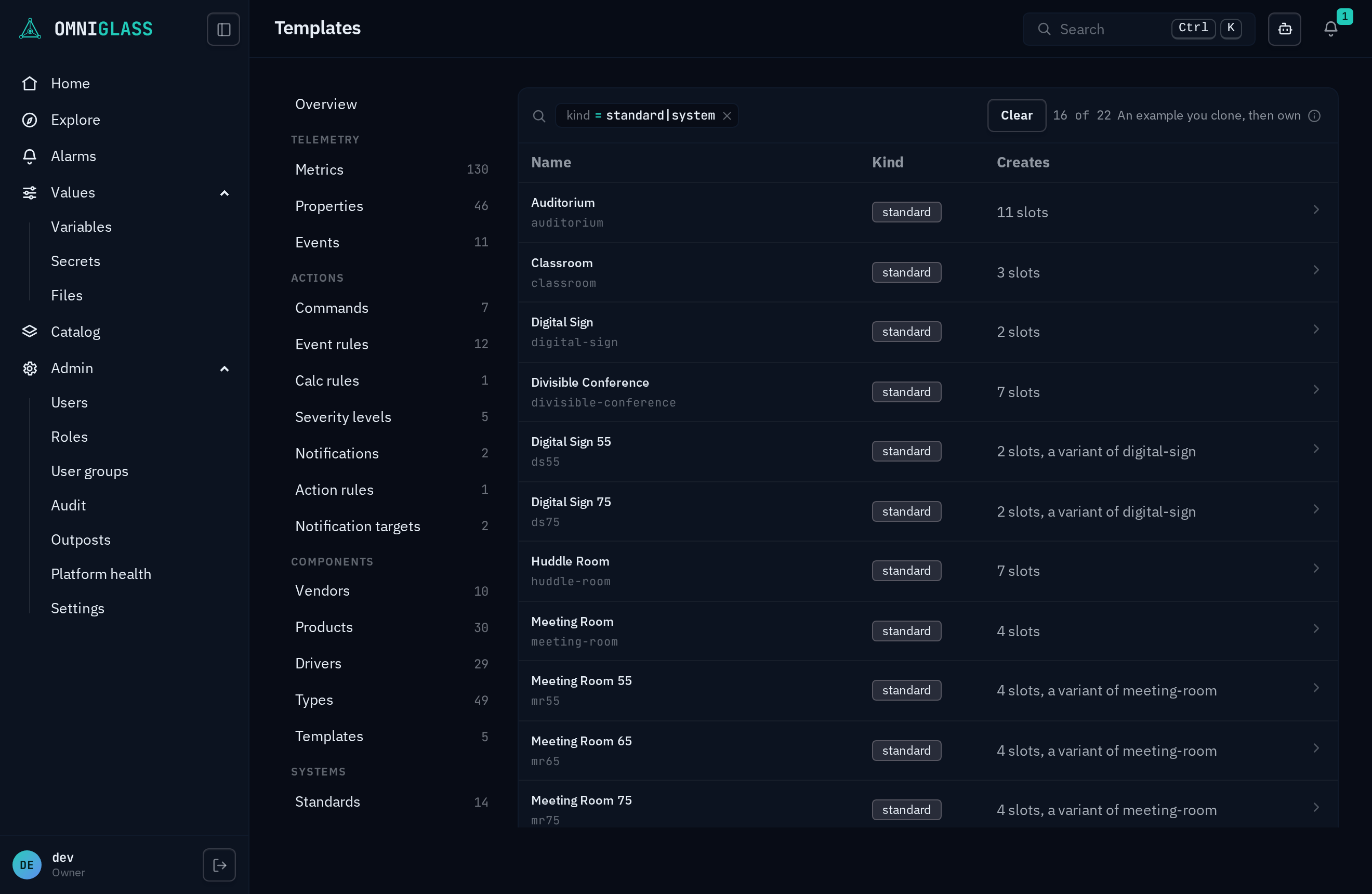
Pick a row to open its panel, which renders what the template creates from the template itself:
- a standard template shows its slots, each with its quorum, the component types it accepts and any products it is pinned to, then its choices (the first alternate is the template’s default) and the property and metric lines it declares;
- a system template shows the standard it is built to, its system type, and a component for each slot with the component template that fills it. The counts are the quorums of the standard the system is built to: yours of that name when you hold one (your edits to it count), else the template’s, created from it in the same write;
- a location template shows its subtree as an indented tree, each location with its location type and the systems that land in it;
- a component template shows its product, its preset inputs and its declared values.
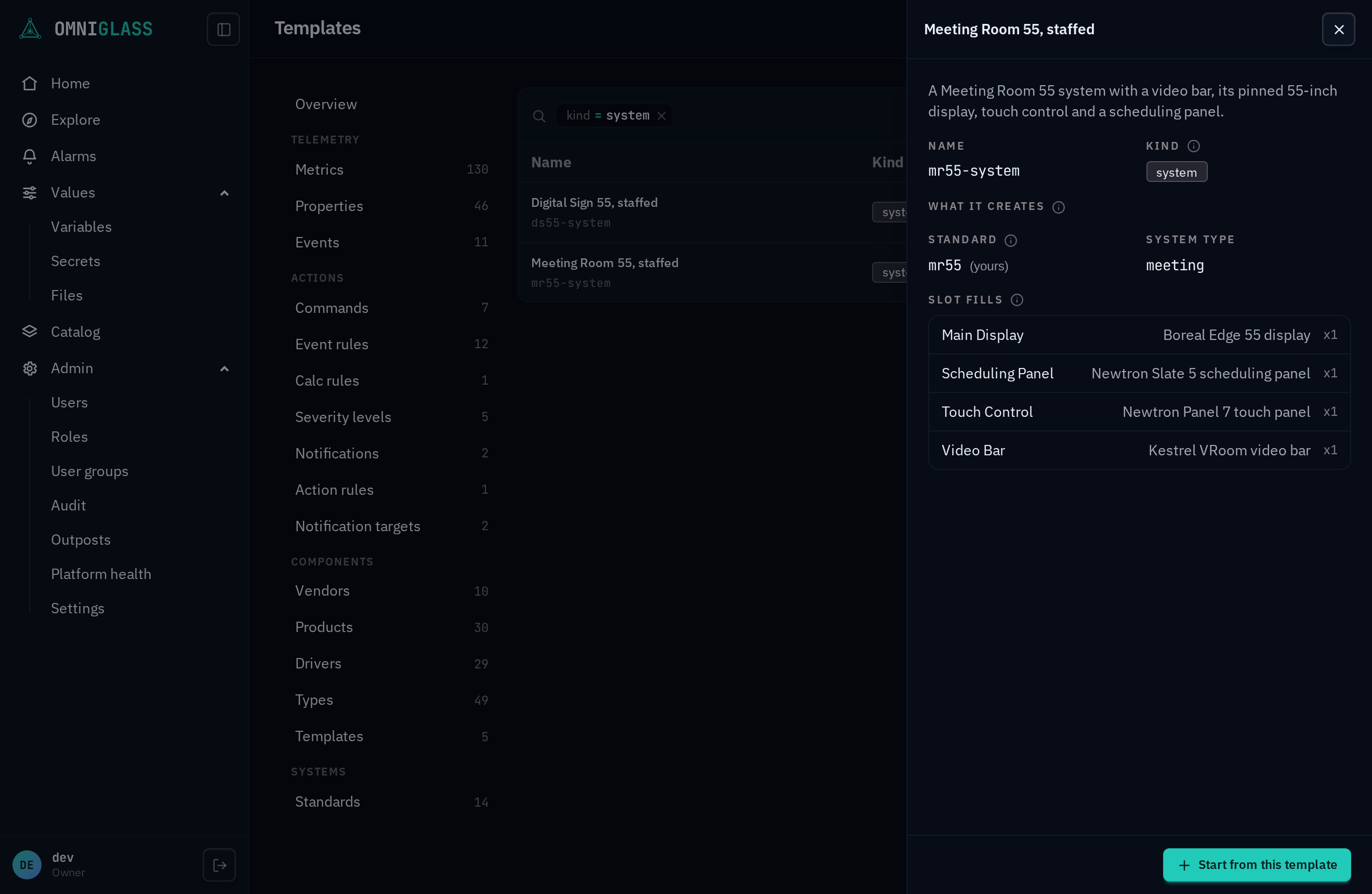
Start from one
Section titled “Start from one”Start from this template in the panel’s footer opens the kind’s form. Every piece a start writes is written as you, so it needs every permission those writes need, not only the one its route is gated by:
- a standard template needs
standard:create; - a component template needs
component:create, pluscomponent:updatewhen it declares values; - a system template needs
system:create,system:read,system:update,component:createandcomponent:update, plusstandard:createwhen you hold no standard of the name it builds to (the start creates it from its template); - a location template needs
location:create, plus the system set when its subtree carries systems, andstandard:createwhen one of those systems’ standards would be created from its template; - any of them needs
endpoint:createto attach a component (an address). Without it the address fields are not offered and everything lands unattached.
A panel shown to someone short of the set names what is missing under To start one instead of offering the action; the form names it too when a choice you make there (a standard to create, an address) needs more.
- A standard template creates a standard. Give it a name (empty takes the template’s) and a label; a variant also asks for the standard it hangs off, by default yours named for the template’s parent. A taken name or a missing parent is refused, and the form shows the refusal as the API words it.
- A component template asks for its location, an optional name (empty mints one from its type, as any component’s name is) and label, and, to attach it now, the outpost its endpoint is placed on and the address its driver reaches it at. A driver input that reads a secret asks for one of your secrets by name. Without an address the component lands unattached, to attach later.
- A system template asks for its location, a name and label, the standard to build to (the template’s by default: yours of that name when you hold one, else created from its template in the same write), an outpost, and an address per component by slot. The system, a component for each slot filled to its quorum and their assignments land together, or not at all.
- A location template asks for the parent location the subtree sits under (or none, for a new top) and the root’s name and label. Each location’s type must be allowed under its parent’s, as your fleet has the location types; a placement your types refuse is refused, naming the pair.
An address with no outpost is caught before you submit. On success the console lands on what you created, the new standard’s panel or the new component, system or root location, with a note that names the template and says it is yours now, and, where they apply, the standards the start created from their templates and how many components are still to attach. The note rides the address you landed on, not the row: dismiss it and it is gone, and the row’s page never shows it otherwise, because nothing about the row remembers the template.
From the create dialogs
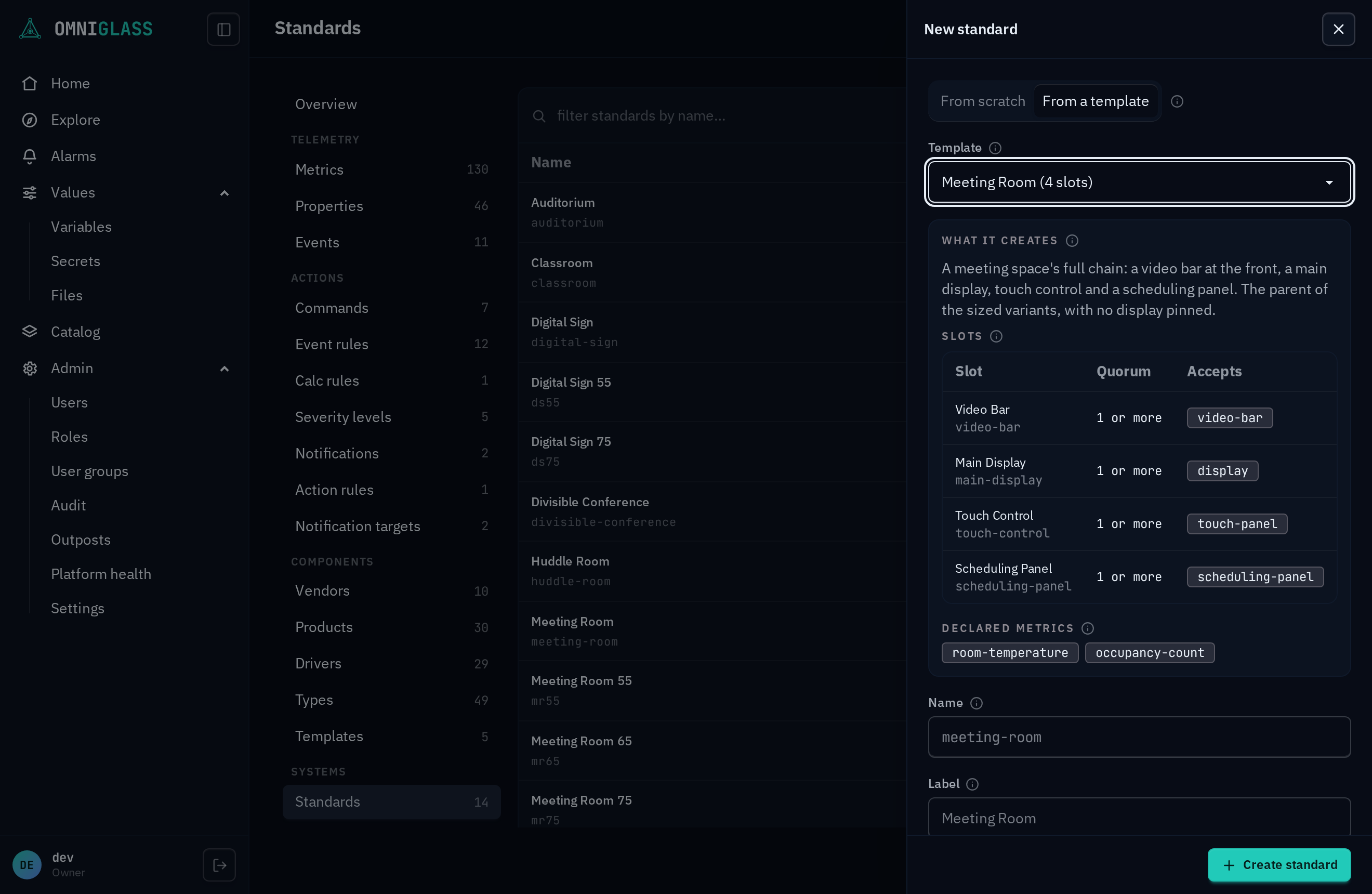
Section titled “From the create dialogs”You do not have to come to this page to use a template. New system, New location and New
component (from New above an outline, or a row’s +) and the New standard drawer each open
on From scratch, the kind’s own form, with From a template beside it. Choose From a template
and the dialog lists that kind’s templates (a location template for a new location), shows what the chosen
one creates exactly as its panel here does, then asks only for the inputs that template needs, with the
location you were creating in already chosen. It posts the same :createFromTemplate and lands on what it
created with the same note. The choice is offered to anyone who may read templates, and the start is
refused, naming what is missing, until you hold every permission it writes with.
Each form posts the :createFromTemplate custom method on its own collection (POST /standards:createFromTemplate, /components:createFromTemplate, /systems:createFromTemplate,
/locations:createFromTemplate). The same operations are omniglass standard createFromTemplate,
omniglass component createFromTemplate, omniglass system createFromTemplate and
omniglass location createFromTemplate from the CLI.
What ships
Section titled “What ships”The system, location and component templates this release ships, rendered from the catalog:
| Template | Kind | What it creates |
|---|---|---|
ds55-system (Digital Sign 55, staffed) | system_template | a system on ds55, filling panel with boreal-edge-55 player with boreal-cast-m1 |
mr55-system (Meeting Room 55, staffed) | system_template | a system on mr55, filling main-display with boreal-edge-55 scheduling-panel with newtron-slate-5 touch-control with newtron-panel-7 video-bar with kestrel-vroom |
| Template | Kind | What it creates |
|---|---|---|
meeting-floor (A floor of meeting rooms) | location_template | floor: ds55-system room mr-1: mr55-system room mr-2: mr55-system |
| Template | Kind | What it creates |
|---|---|---|
boreal-cast-m1 (Boreal Cast M1 media player) | component_template | a boreal-cast-m1 component, its driver preset with port |
boreal-edge-55 (Boreal Edge 55 display) | component_template | a boreal-edge-55 component, its driver preset with port |
kestrel-vroom (Kestrel VRoom video bar) | component_template | a kestrel-vroom component, its driver preset with port tls-mode |
newtron-panel-7 (Newtron Panel 7 touch panel) | component_template | a newtron-panel-7 component, its driver preset with port |
newtron-slate-5 (Newtron Slate 5 scheduling panel) | component_template | a newtron-slate-5 component, its driver preset with port |
The standard templates are listed on Standards.